OMG Japan!!

20120426-221054.jpg
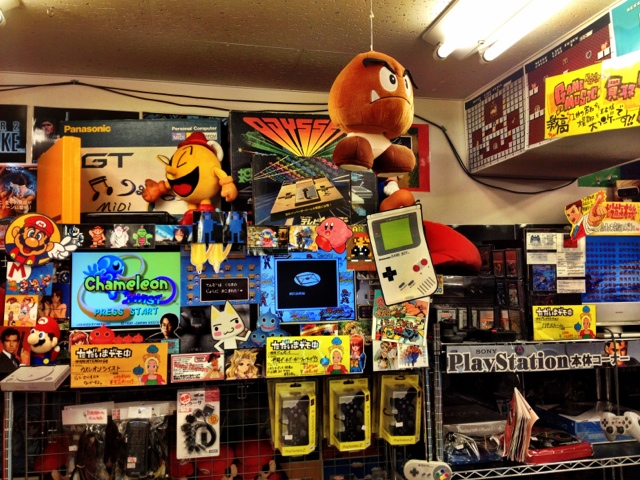
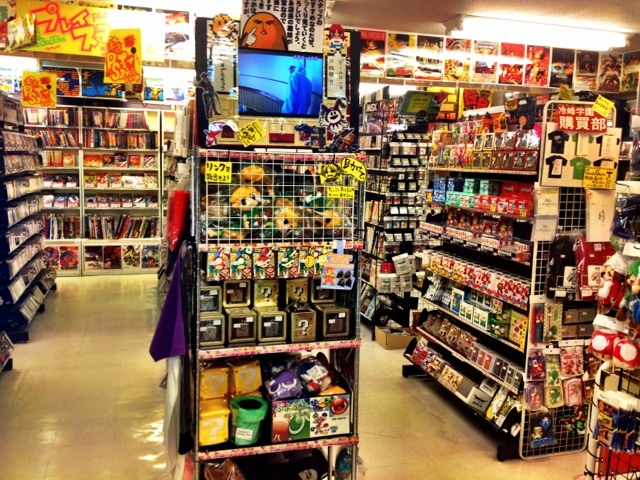
Retro gaming store in Tokyo Japan. Three floors just filled with retro heaven! This one was only Famicom ^_^

20120426-221246.jpg
So many things, I just wanted it all!

20120426-221300.jpg
And the prices were reasonable!

20120426-221323.jpg
Akihabara, also known as the ‘Electric Town’ in Tokyo. This is where you will find some of the Retro Gaming stores I’ve been visiting today :)

20120426-221341.jpg
Here’s some of the things I’ve picked up today. A Twin famicom! A bunch of Famicom games, some Super Famicom and a Sega Mega Drive game (just to see if it works on my PAL system).

Recording Famicom gameplay and NTSC vs PAL

I have finally found the optimal solution, and still being able to use the Elgato Video Capture i bought (see previous entry about Playing & recording 8-bit and 16-bit consoles on you Mac / computer). While the Elgato / DVD recorder combination worked excellently with all my PAL systems I still couldn’t get it to work with my NTSC NES and my japanese Famicom, since the DVD recorder was PAL region it messed up the images.

I had to buy rca y cable splitters since the Famicom only had one output of composite image and video cords, now being able to split the signal to two places I can play through connecting the Famicom to a TV while also having it connected to the Elgato, which actually captures the video and image perfectly however generates a black image (“no signal”) while recording. The rya y cable splitters might not be necessary for the regular NES since that console already has two outputs, one for the antenna input in a PAL television and also the composite on the side, however it is more nimble not having to search for the channel and just playing through the AV channel ^_^

If anyone has any questions about this topic feel free to ask me, I’ve been researching into it and going through a lot of trial/error phases to know a thing or two about it by now ;D

Play & record 8-bit and 16-bit consoles on your Mac / computer

Making reviews and wanting to be able to record what I’m playing so that I can show through video what the games are like. This has turned out to be a difficult problem to solve, but today I managed to solve all my previous issues.. with a little help from my friends ;D

I started out trying to record with a film camera, filming the TV screen. This was crap. Crappy quality, shaky, bad angles, ugly sound.. etc. So i moved on to borrowing my boyfriend’s brother’s HDPVR, this worked on and off, didn’t work with my NTSC or japanese systems, only my PAL. The recordings got a constant humming in the background sound and it was also a hassle to connect the thing, cords from the HDPVR to the TV, to the laptop (not being able to use my stationary computer=inconvenient) and to the console. I then had to transfer the files from my laptop to my stationary to work with them.

After talking to some stores, I got convinced to buy a DVD recorder. This worked, but not with my NTSC or japanese systems.. also it was a hassle having to record on DVD’s then transfer the files to my computer and convert them to files I could use. The recordings also carried a constant humming sound in the background and the image was laggy..

However the DVD recorder purchase was not in vain. A friend advised me to get the Elgato Video Capture from the apple store.
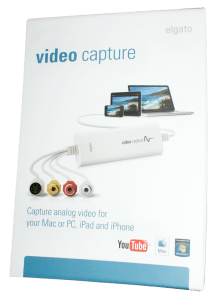
When I first connected it to the system and straight into the computer it didn’t work. Apparently because the consoles have some built in anti-piracy code (according to my engineer friend). The image looked like this and froze immediately:

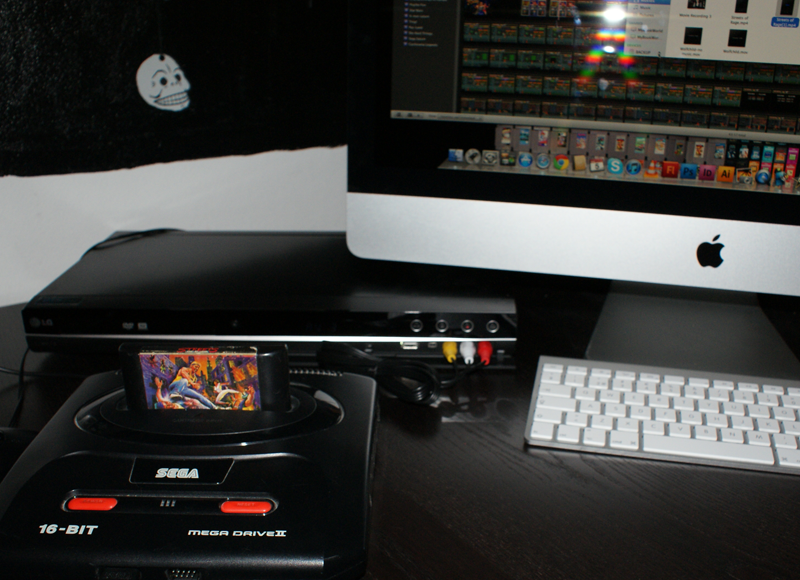
BUT when I connected it through the DVD burner into the console the image was perfect, no lag, and I could play the games straight on my iMac, while recording!

It doesn’t look too messy, not too many cords or machines to connect together, and best of all, the sound is perfect!

I’ve been playing a bunch of Streets of Rage on my iMac tonight, with headphones, and OMG that games’ music is just so awesome! This is what the image quality looks like:

This is totally ok for my purpose ^_^

Now I haven’t had time to try it out with my NTSC machines or the japanese yet, but I hope it will work o_O The Elgato is said to be able to take all formats, however I’m not sure if the DVD burner might f*ck it up..
I’ll update once I find out ^_^

Cleaning your NES cartridges = no more glitchy gaming!

This week I’ve been busy learning how to thoroughly clean my old NES games, and after learning and experimenting I’ve been busy thoroughly cleaning all my NES games.. I’ve only gone through one out of the 7 boxes so far >_<

Here’s some advice for those of you who still are in possession of your old Nintendo Entertainment System and wish to re-visit you old games without having to huff ‘n’puff and jiggle your way to being able to play!

  • First of all you have to purchase a special NES cartridge screw-thingy, these can be bought online and really cheap. I got mine from a Swedish site called nesconnector for only 69 SEK (approximately 10 USD). This is needed to open the special screws on the back of your cartridge.
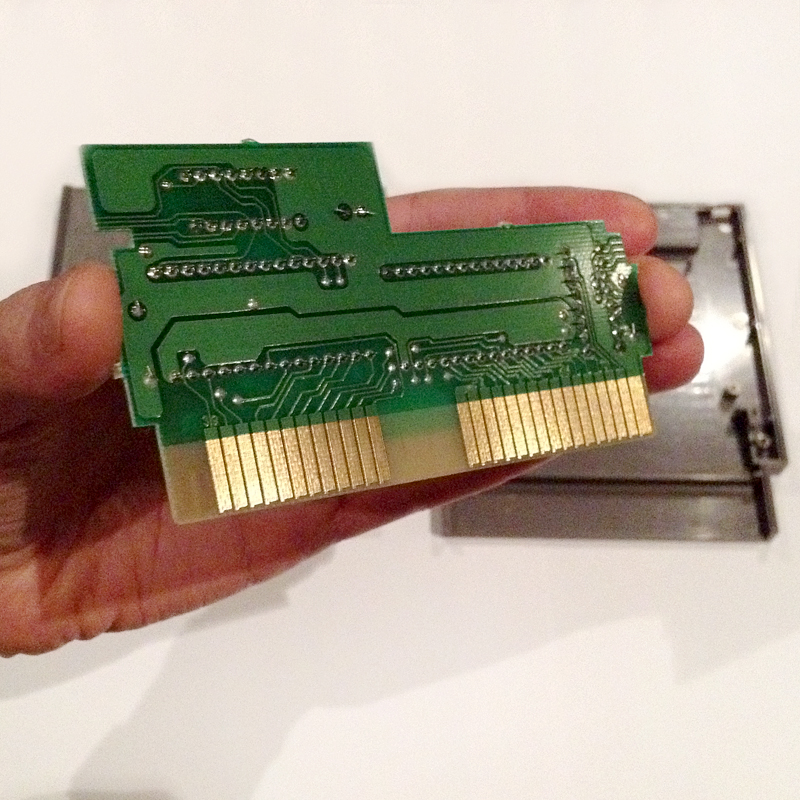
  • Open up the back lid of the cartridge, and lift up the circuit board carefully, avoid touching the surfaces and hold it steadily by gripping the sides.
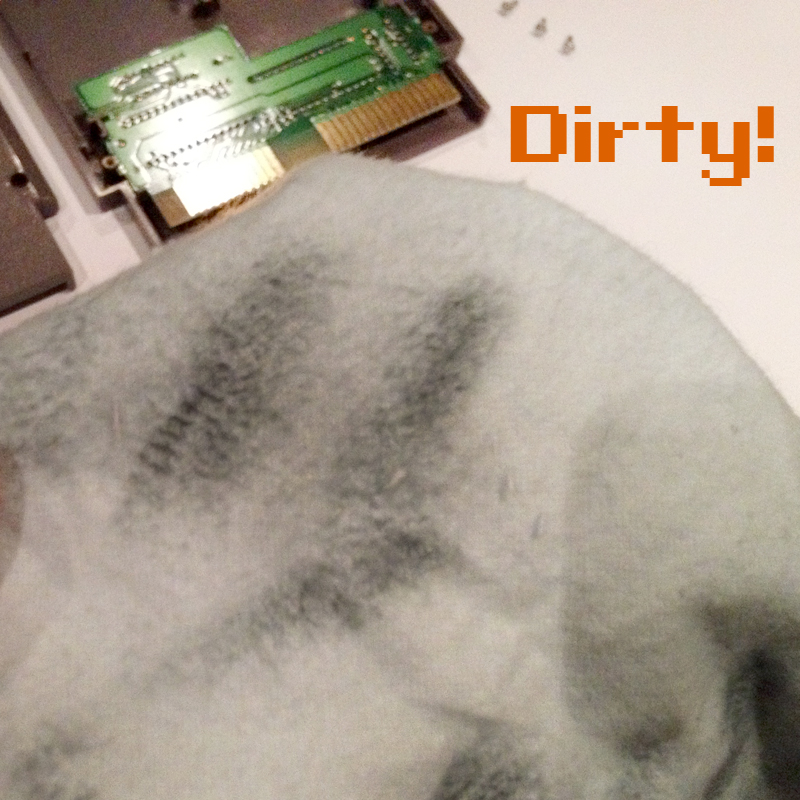
  • Here is where it got tricky for me, I watched a video on youtube where they used some polish cream by an american brand to clean the connectors, but I couldn’t translate that into a corresponding Swedish product. However, after talking to three different stores in my hometown, the jewelry store finally suggested a polishing cloth since it’s a dry way of polishing without getting water on the circuit board. The polishing cloth is impregnated with some kind of gold polish, but nothing that hurts the connectors. Now rub both sides of the golden connectors on the bottom of the circuit board (try avoiding touching other things on it) and rub until there’s no more black coming off on the cloth.
  • After this you insert the circuit board in the same place you removed it from, and close of the cartridge and screw it back together. Easy peasy! =D I’ve even gotten a few games to work that previously didn’t! ^_^

Now go have yourself a nostalgic trip and play some Super Mario! ^_^

Happy Winter-een-mas!

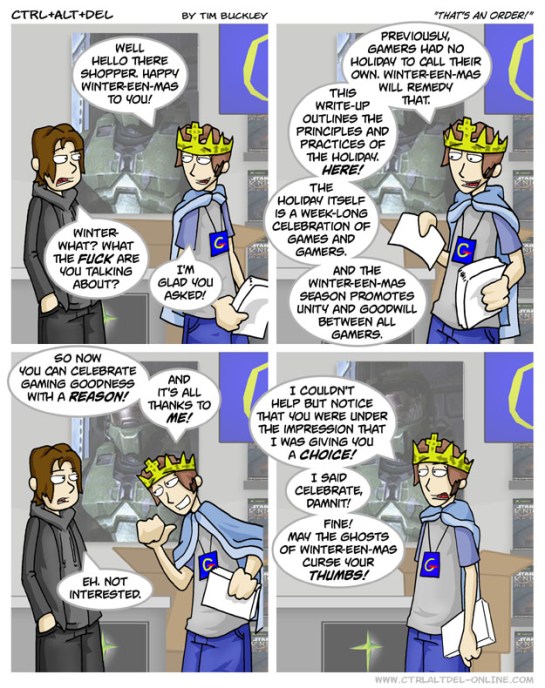
As most gamers know, it’s become a yearly tradition to celebrate Winter-een-mas, from January 25th to Janury 31st each year. For those of you who don’t know what Winter-een-mas is, here’s the wikipedia explanation:
“The annual week long celebration of video games and the people that play them. Winter-een-mas is a holiday that takes place every year from January 25 to 31, but is also commonly celebrated for a month. The entire month of January constitutes the Winter-een-mas season, very similar to the “Christmas season”, where people begin to gear up for the holiday, and get into the spirit of things. The holiday was started by the fictional character Ethan in webcomic Ctrl-Alt-Del by Tim Buckley. Its stated goal is to “celebrate the joy of video gaming“. Many gaming stores, such as EB Games, celebrate the holiday.”

Here’s the origins:

So how are you going to celebrate Winter-een-mas? I myself will go back and play som all time favorite games, try out some new ones and on saturday join a bunch of friends for a gaming weekend where everybody is set to finish a game of their own choice.

Trip to New York

In December I went to the U.S of A with my boyfriend. We first went to New York for a week and then down to Miami Beach for another week. In New York I found two game stores which had a bunch of exciting retro games! However, it was in general extremely pricey..

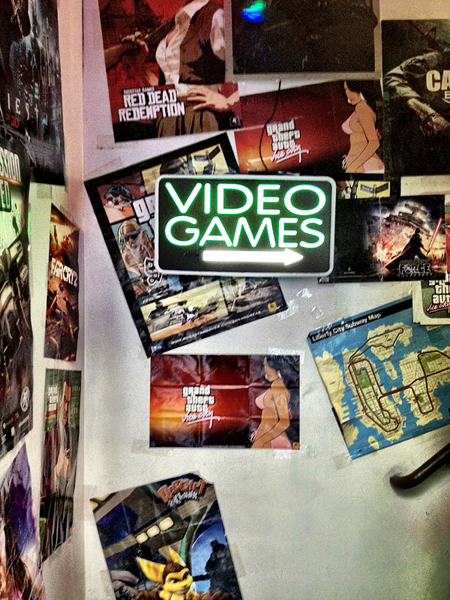
The first store was awesome, however a bit disorganised. I didn’t wanna take any pics inside cause there was this bald rude looking man behind the counter, but they had like EVERYTHING. It didn’t look very Retro going up the stairs, however they had mainly Atari and NES stuff ^_^ My boyfriend got bored quickly though and wanted to leave =(

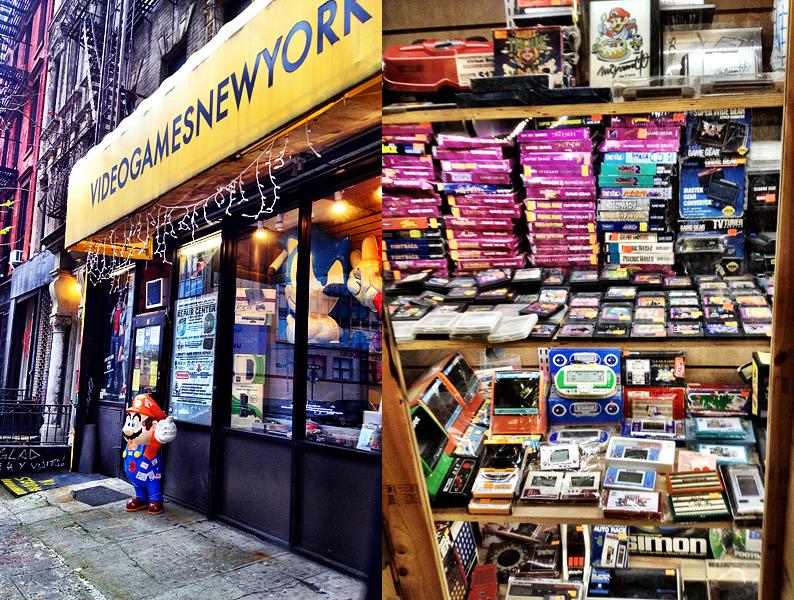
The second store we found was so awesome! They had everything so tidy and neatly displayed, but everything was behind glass and even more over prized =( They had a bunch of stuff I wanted to buy, like Donkey Kong Game & Watch! But it was too expensive.. I’ll just have to Ebay it instead…

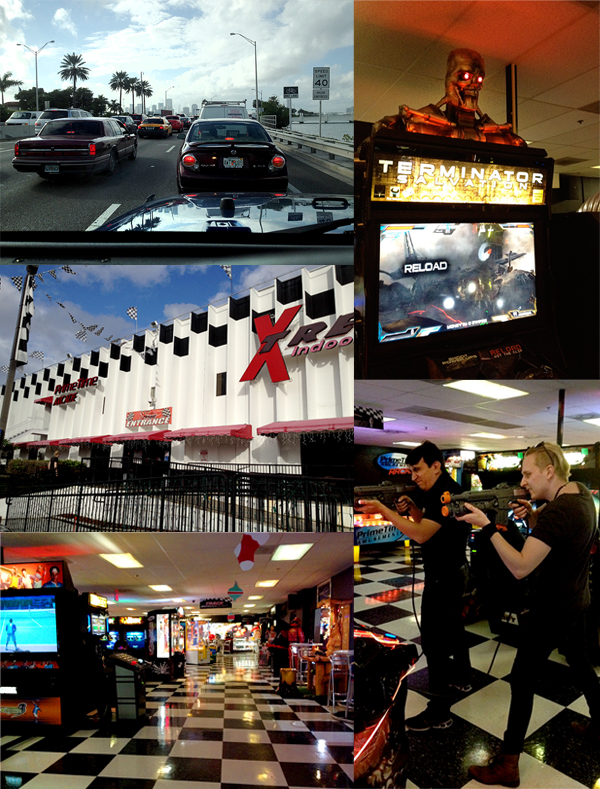
While in Miami we decided to look up some vintage arcades where they might still have some of the old classics like Pacman and stuff. My nifty friend Gaston googled a bunch of places that might have the retro arcade machines close by, one of them had appeared in the documentary “Chasing ghosts beyond the arcade” (Youtube it, it’s an interesting documentary). So we rented a car to get to the places, a big-ass-mother-f*cking-jeep. I’ve never driven a bigger car, and it was scary as hell to drive on the american highways among all the other big-ass cars  (and I HAD to drive since I was the only one with a licence).

The first place we went to had no vintage stuff at all, and not many games at all.. The guys stopped to shoot some Terminators for a while, and after that we left.

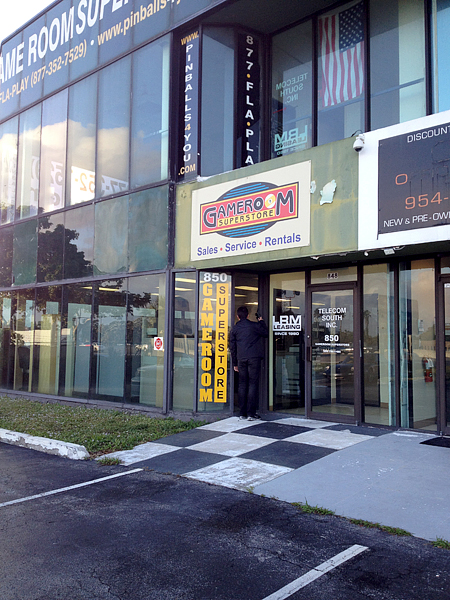
The second one was way out in nowhere, called Gameroom Superstore and was the one that I think was part of the documentary. It had been a place for restoring and selling old arcade machines. It was however closed, even though the signs were still outside, apparently for several years according to the neighbours that we asked… it was sad. The place still had their website online.. they should shut that thing down! It’s misleading >_<

People had even vandalised the text on the door to the Gameroom Superstore. “This is not a coin operation gameroom” was now “This is not in operation gay room” … So after having driven for hours back and forth we went back to Miami Beach.
It really felt like chasing ghosts.. there were no vintage arcade machines to be found anywhere. The closest thing we came to that was an old pinball machine in a bar in Miami, but it’s not the same =´(

Apart from the lack of vintage gaming experiences the trip to the US of A was a lot of fun with family and friends <3